 a36a4b04e5
* Fix double-import on exception in ImportGUI.readDXF
The python code has a try/catch block intended to detect if the ImportGUI module is present and if so use its readDXF method, otherwise use Import.readDXF.
The block was incorrectly structured so that Import.readDXF would also be called if ImportGUI.readDXF raised an exception, causing the DXF file contents to be loaded twice into the drawing (at least, up to the point where the exception occurred)

* Make ImpExpDxfRead::MakeLayer use centralized accessor for Draft module
The importer class already had a method to find the python Draft module, but MakeLayer was doing the work itself. Now it uses the centralized accessor, which has also been improved to generate a message if the module can't be loaded.

* Give compounded objects names related to the containing layer name
If "Use Layers" is set and also "Group layers into blocks" the names of the generated compound objects will be based on the name of the containing layer.
If "Use Layers" is not set this will not occur because in general objects from several layers would be compounded together.
Fixes (partially) #16068, the remaining fix is likely just an explanation of the interaction of the options.
closes #13597

* Use correct (new) property name OverrideShapeAppearanceChildren
This corrects a bug created by commit 3aea798 which renamed the layer property "OverrideShapeColorChildren" to "OverrideShapeAppearanceChildren" but missed this particular reference to the property by its old name.

The code here called PyObject_SetAttrString which, due to the wrong attribute name, set an expection state in the Python engine, ultimately causing the next attempt at importing a module to fail, with various consequences depending on why the module is being imported.

* Wrap PyObject_SetAttrString and PyObject_GetAttrString with error-checkers
In DEBUG compiles these methods are wrapped to report errors which can occur if the property cannot be referenced.

* Make some error-printers static instead of const
They don't need the CDxfRead object to work

* Display exceptions raised by ReadEntity
Although the DXF reader has an ignore-errors flag, it should still report any errors it encounters. The flag is deemed to mean that, after an error, the reader should continue to try to read the file rather than quitting on the first error.

* [pre-commit.ci] auto fixes from pre-commit.com hooks

for more information, see https://pre-commit.ci

---------

Co-authored-by: pre-commit-ci[bot] <66853113+pre-commit-ci[bot]@users.noreply.github.com>

Your own 3D parametric modeler
Website • Documentation • Forum • Bug tracker • Git repository • Blog



Overview
-
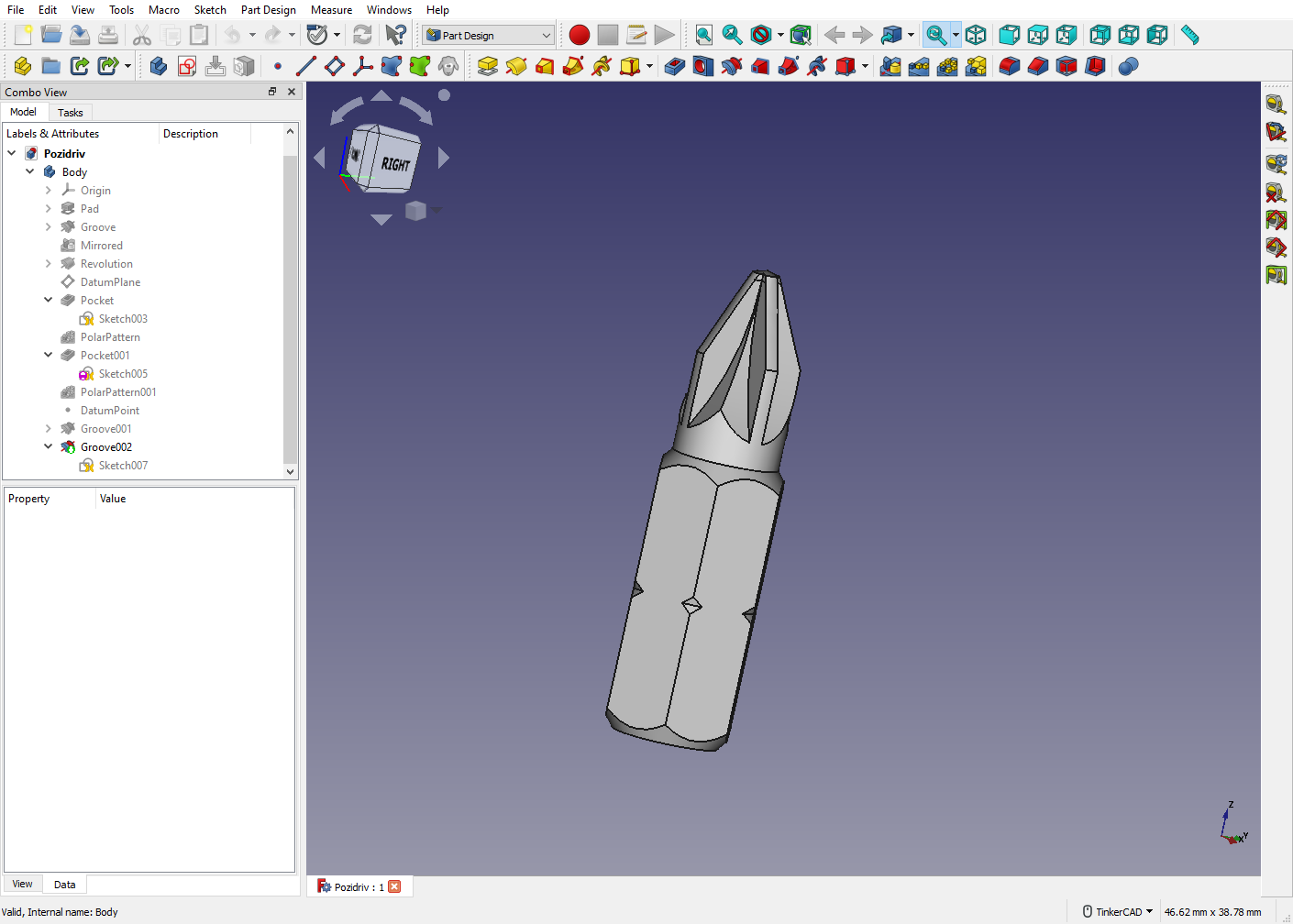
Freedom to build what you want FreeCAD is an open-source parametric 3D modeler made primarily to design real-life objects of any size. Parametric modeling allows you to easily modify your design by going back into your model history to change its parameters.
-
Create 3D from 2D and back FreeCAD lets you to sketch geometry constrained 2D shapes and use them as a base to build other objects. It contains many components to adjust dimensions or extract design details from 3D models to create high quality production-ready drawings.
-
Designed for your needs FreeCAD is designed to fit a wide range of uses including product design, mechanical engineering and architecture, whether you are a hobbyist, programmer, experienced CAD user, student or teacher.
-
Cross platform FreeCAD runs on Windows, macOS and Linux operating systems.
-
Underlying technology
- OpenCASCADE A powerful geometry kernel, the most important component of FreeCAD
- Coin3D library Open Inventor-compliant 3D scene representation model
- Python FreeCAD offers a broad Python API
- Qt Graphical user interface built with Qt
Installing
Precompiled packages for stable releases are available for Windows, macOS and Linux on the Releases page.
On most Linux distributions, FreeCAD is also directly installable from the software center application.
For development releases check the weekly-builds page.
Other options are described at the wiki Download page.
Compiling
Compiling FreeCAD requires installation of several libraries and their development files such as OCCT (Open Cascade), Coin and Qt, listed in the pages below. Once this is done, FreeCAD can be compiled with CMake. On Windows, these libraries are bundled and offered by the FreeCAD team in a convenient package. On Linux, they are usually found in your distribution's repositories, and on macOS and other platforms, you will usually have to compile them yourself.
The pages below contain up-to-date build instructions:
Reporting Issues
To report an issue please:
- Consider posting to the Forum, Discord channel, or Reddit to verify the issue;
- Search the existing issues for potential duplicates;
- Use the most updated stable or development versions of FreeCAD;
- Post version info from e.g.
Help > About FreeCAD > Copy to clipboard; - Start recording a macro
Macro > Macro recording...and repeat all steps. Stop recording after the issue occurs and upload the saved macro or copy the macro code in the issue; - Post a Step-By-Step explanation on how to recreate the issue;
- Upload an example file (FCStd as ZIP file) to demonstrate the problem;
For more detail see:
The FPA offers developers the opportunity to apply for a grant to work on projects of their choosing. Check jobs and funding to know more.
Usage & Getting help
The FreeCAD wiki contains documentation on general FreeCAD usage, Python scripting, and development. These pages might help you get started:
The FreeCAD forum is also a great place to find help and solve specific problems you might encounter when learning to use FreeCAD.
This project receives generous infrastructure support from
 and KiCad Services Corp.